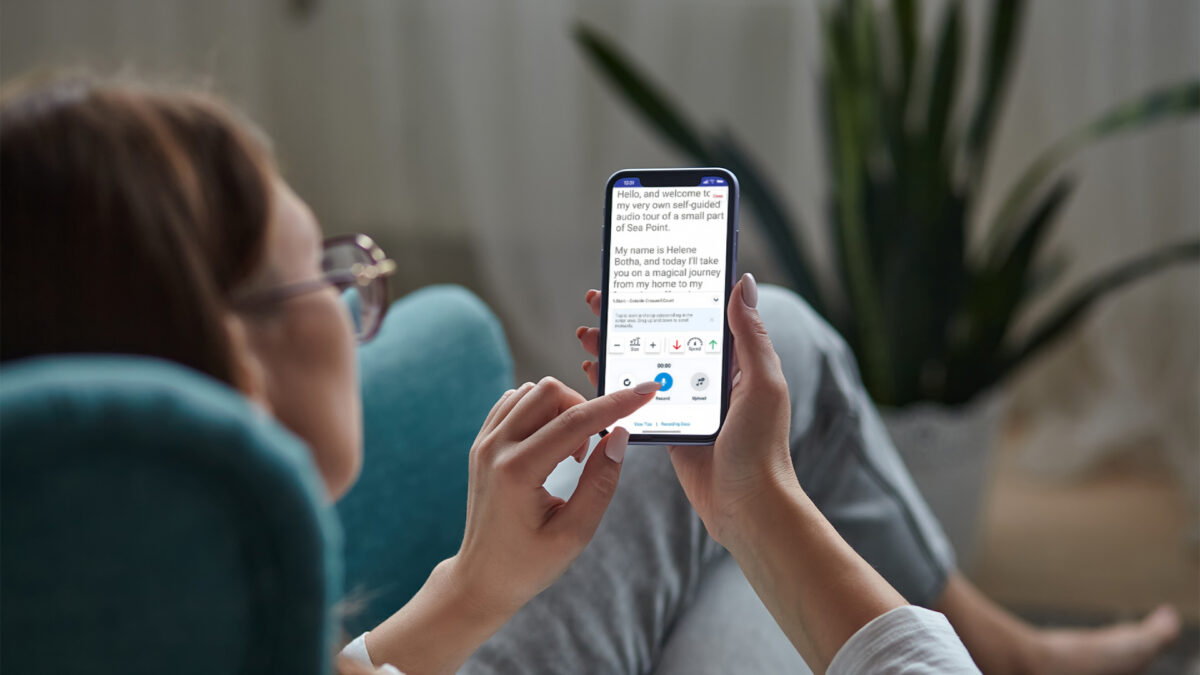
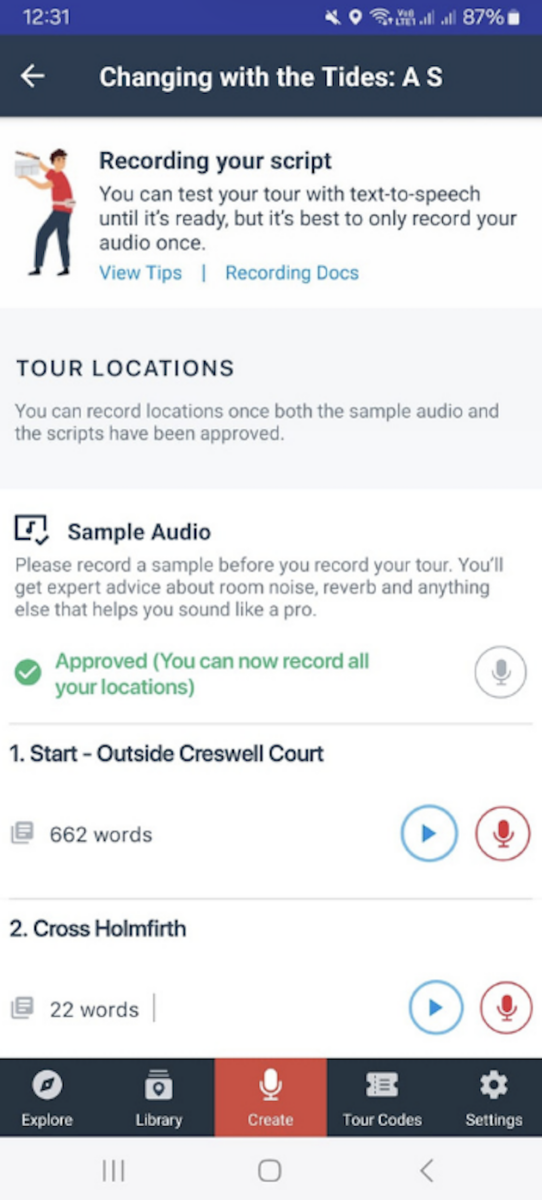
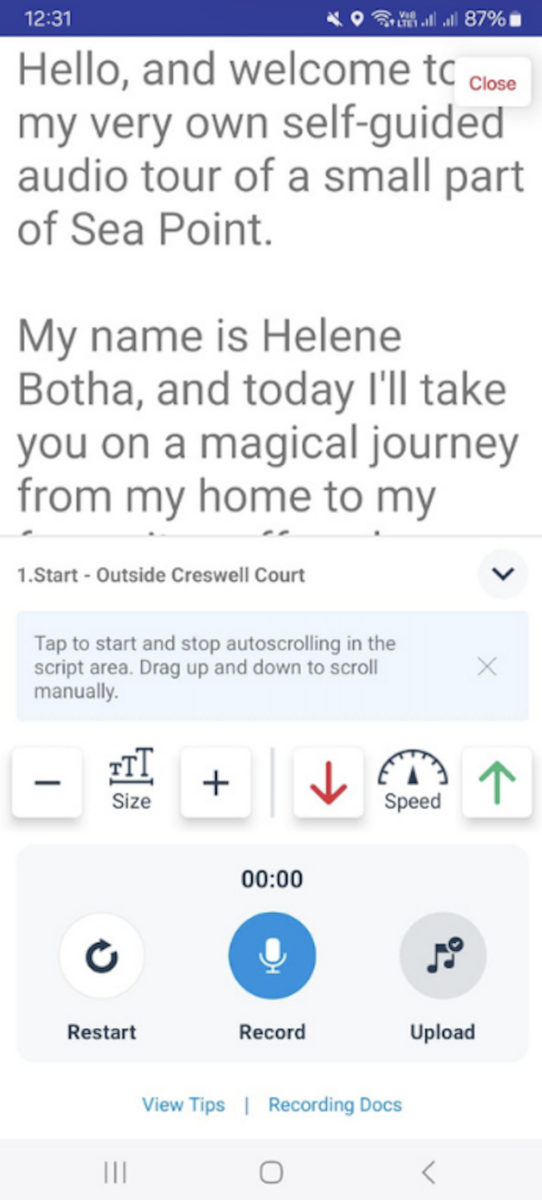
We recently released an integrated recorder directly into the VoiceMap app. It has an autocue that displays the script for each location automatically, scrolling at the speed you select. It also has professional-quality recording settings, immediate playback for quality checking, and a feature for instantly uploading audio to tour locations.
Self-guided tours are technically complex, especially when they have both audio and automatic GPS playback. Mapmaker, our publishing tool, is built to remove the trial and error that new producers typically experience at various steps in the process – from mapping to scripting and recording, and even through to distribution. This is why VoiceMap is the best, most comprehensive solution for creating self-guided audio tours, and our in-app audio recorder is no different. We didn’t just build it to add another feature. We solved a real problem for our publishers.
The Recording Challenge
Take Jo Eckardt, who’s published 30 tours across Germany through VoiceMap. After mapping her route and working with our editors to perfect her scripts, Jo faced the fragmented reality of recording.
Her old process meant switching from Mapmaker to printed pages, or juggling two screens – laptop for script, phone for recording. She’d record audio samples and each location individually, and then either send them one by one – creating endless email chains – or bundled together, with complex explanations. Technical problems compounded the frustration: apps would fail to save, inconsistent microphone distance created uneven audio quality, and any changes meant repeating the entire cycle.
How the Integrated Recorder Transforms the Process
| Without the Integrated Recorder | With the Integrated Recorder |
| Separate screens required to record and access the script | Script loads automatically from Mapmaker as an autocue with adjustable scrolling and control buttons |
| Audio files must be manually sent to the editor | Audio uploads automatically to the correct location |
| Technical issues are common, including apps failing to save audio and uneven audio quality | Professional-quality settings with immediate playback for quality checks |
| Any changes to audio require repeating multiple steps | Individual locations can be re-recorded as needed |
Now publishers like Jo and Jim Turner open the VoiceMap app and navigate directly to any location on their tour. This loads up their script from Mapmaker in an autocue, with adjustable font sizes, and automatic, adjustable scrolling alongside control buttons. When they’re finished they play it back to make sure they’re happy, then the audio is uploaded automatically and our content team takes over. Our in-house sound engineers remove stumbles, mouth noises, breaths – and any other sounds that shouldn’t be there. They also add sound effects and music for publishers on a paid plan.
Jo now moves seamlessly from mapping to scripting to recording within the same integrated workflow. She has more time to spend time crafting engaging stories about German culture, rather than wrestling with technical obstacles.
It’s also worth saying that you don’t have to use VoiceMap’s in-app recorder. If you’re producing your own audio, you’re welcome to upload the finished audio files in Mapmaker if you prefer.
Continuous Improvement
The integrated recorder is part of our ongoing commitment to iterate based on publisher feedback, and remove as much friction from the process of creating high-quality self-guided audio tours as is possible. Put differently, our goal is to remove the barriers standing between great local knowledge and exceptional tour experiences. If you’re sitting on a few stories of your own, why not get started on your own VoiceMap tour today?
Frequently Asked Questions
No. The integrated recorder is designed to capture professional-quality audio using your smartphone. We recommend a quiet space and consistent microphone distance, but you don’t need a studio setup. Our in-house sound engineers also clean up your recordings, removing stumbles, mouth noises and breaths.
Yes. You can navigate to any location on your tour and record or re-record it without affecting the rest of your audio. This makes updates and corrections simple.
That’s fine too. The integrated recorder is optional – you’re welcome to upload finished audio files directly in Mapmaker if you have your own recording setup.
Your script syncs from Mapmaker, so you’ll need an internet connection to load it initially. Once loaded, you can record in areas with patchy signal, and the audio will upload when you’re back online.
